Find
See what is missing before the deadline becomes the project.
Map DPP fields by product group, identify what your internal systems already know, and expose the supplier-held evidence still required.
Redy gives manufacturers a governed operating layer for Digital Product Passports: find missing fields, request supplier evidence, approve claims, and publish versioned passport records.
Required fields are tracked before publication so teams know which claims still need evidence.
Manufacturers ask for the exact evidence needed for a product, field set, and passport version.
Approved values can become controlled DPP versions with provenance and audit context.
Issuer actions stay with manufacturer workspaces that are allowed to create and publish DPPs.
Where a passport lives after publication: the resolver link and QR shoppers scan, product details, version state, and an advisory compliance check — with supplier evidence requests one tab away.
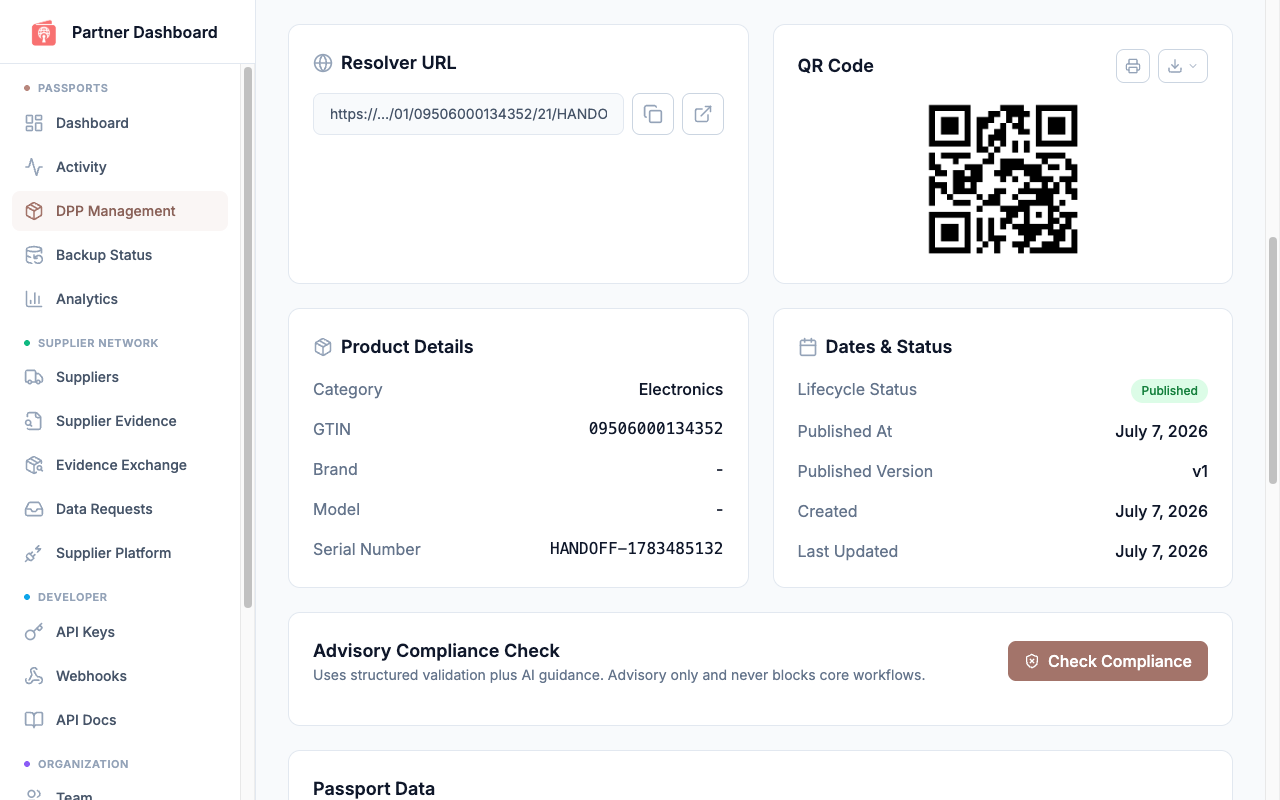
The manufacturer console for a published passport: resolver URL, QR code, product details, version state, and the advisory compliance check.
Redy keeps that work visible and governed across teams, suppliers, systems, and passport versions.
Map DPP fields by product group, identify what your internal systems already know, and expose the supplier-held evidence still required.
Send targeted requests with product context, field requirements, source-document expectations, and response state instead of spreadsheet threads.
Accepted supplier values keep source context, decision state, and audit attribution so the published DPP can be explained later.
Use the same approved data in passport views, exports, webhooks, APIs, and resolver-ready implementation patterns.
Start from product data, ERP/PLM/PIM inputs, imports, or API-created records.
Separate manufacturer-owned values from claims that require supplier declarations, certificates, or source evidence.
Invite suppliers into scoped response workspaces where they can attach evidence and approve sharing grants.
Manufacturer teams approve, reject, or request changes before claims become publishable passport data.
Publication creates a controlled version with audit context, provenance, and downstream output paths.
Manufacturers should not have to replace ERP, PLM, PIM, LCA, or certification systems to start DPP operations. Redy connects the evidence workflow around those sources.
Build your entire issuance pipeline and author your passports in test mode. When certification lands, your integration flips with one key change and your authored data -- including your GTIN -- carries straight into live issuance; only the seal is newly minted. No re-integration, no re-authoring.
This is a copy-forward, not an upgrade: a test passport never becomes certified in place. Promoting to live re-runs real GTIN validation, resolver-identity checks, and registry submission for the first time -- sandbox success does not guarantee live success.
A credible DPP rollout starts with products, fields, suppliers, systems, approvals, and output requirements. Redy gives those decisions a workflow.
Supplier response stays free. Manufacturer workspaces control request scope, approval decisions, publication, and integration outputs.
No. Public passport pages are an output. The business value is the operating workflow that moves missing supplier evidence through request, response, approval, versioning, and publication.
Yes. Suppliers can respond to DPP requests and share supplier-owned evidence for free. Manufacturers own the commercial publishing workflow.
Redy should sit beside product systems rather than replace them. Product records, source evidence, imports, APIs, exports, and webhooks keep the DPP workflow connected to existing systems.
Start with the product group under the clearest regulatory or customer pressure, then reuse the same evidence workflow across domains such as batteries, textiles, and future ESPR categories.